Layer 2 Tunneling Protocol aka L2TP is a tunneling protocol that is widely used to support Virtual Private Networks (VPNs). When coupled with a VPN, L2TP strengthens your private network, making you invincible on the web. Follow this guide for L2TP configuration for Android
- Tap Settings.
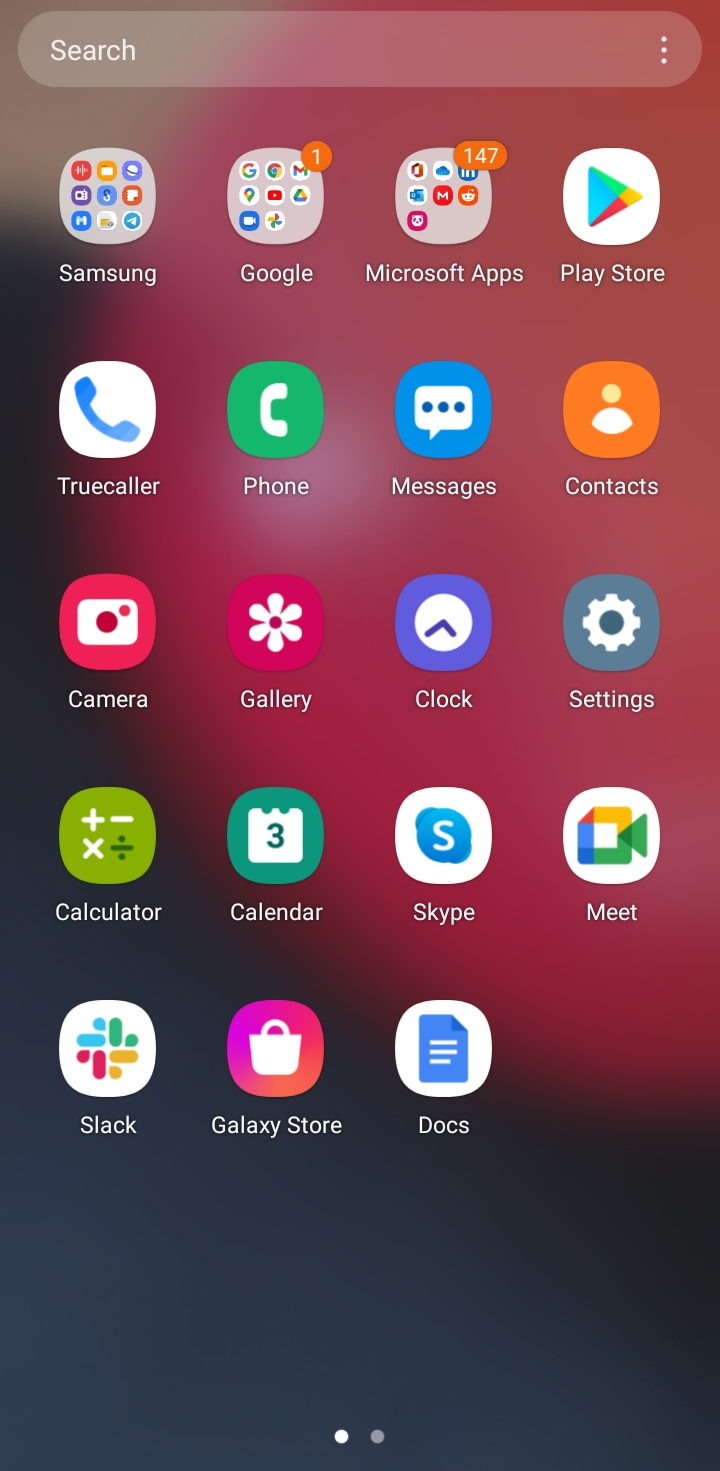
- Tap Connections.
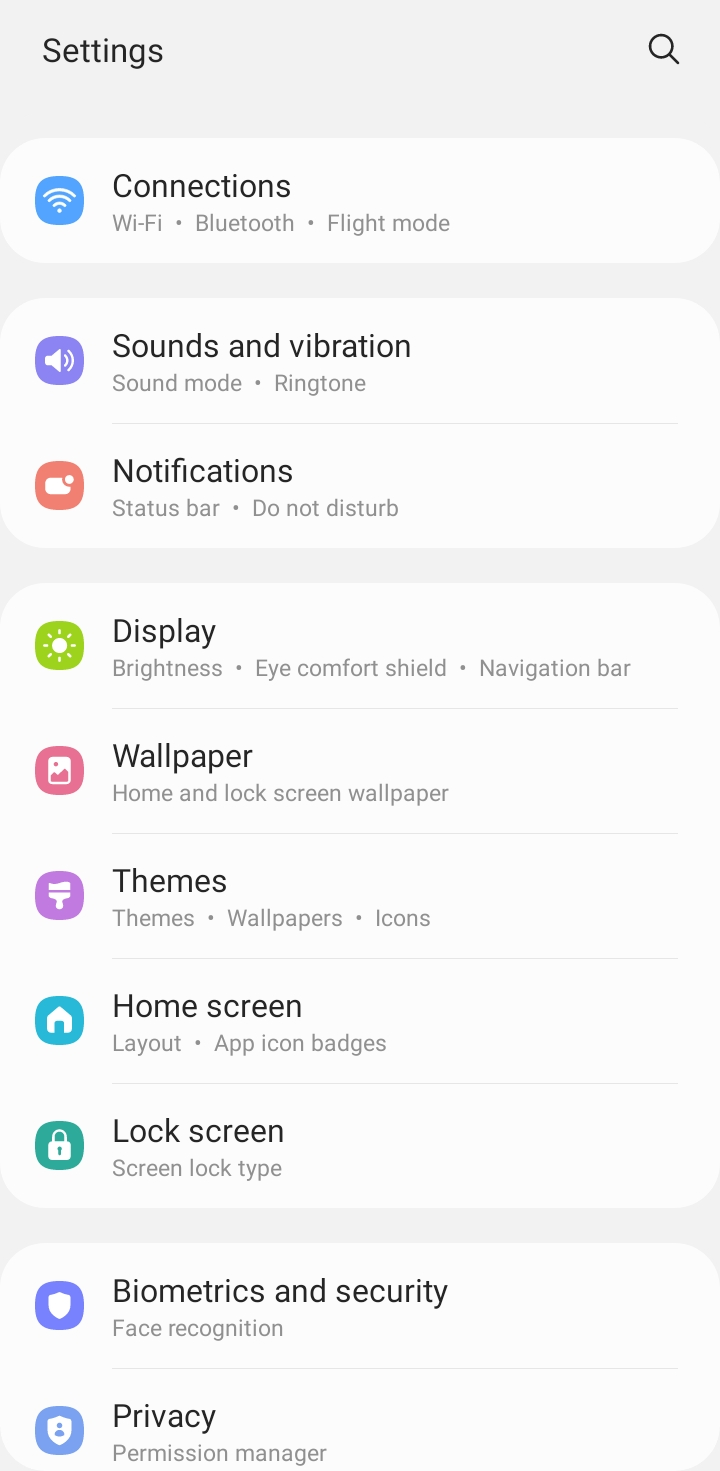
- Tap More connection settings.
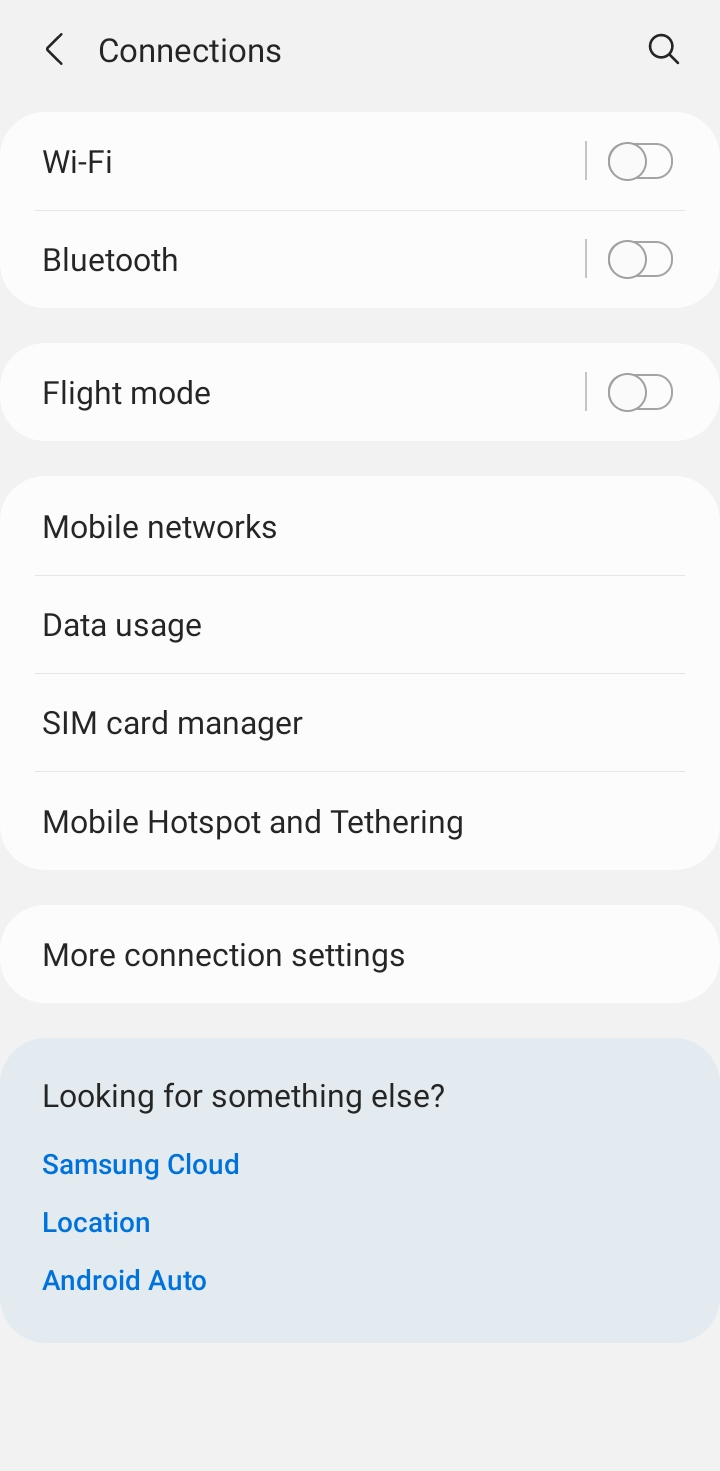
- Tap VPN.
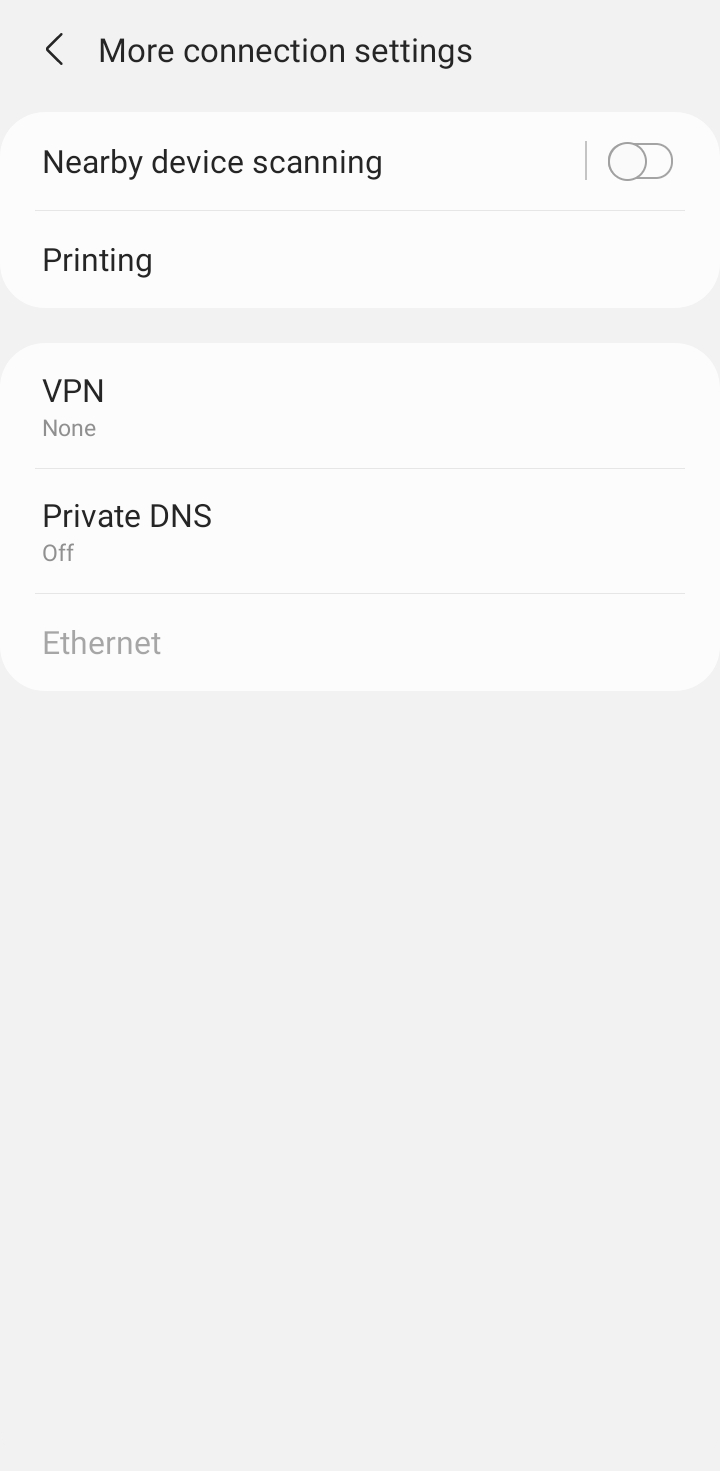
- Tap Three vertical dots.

- Tap Add VPN profile.

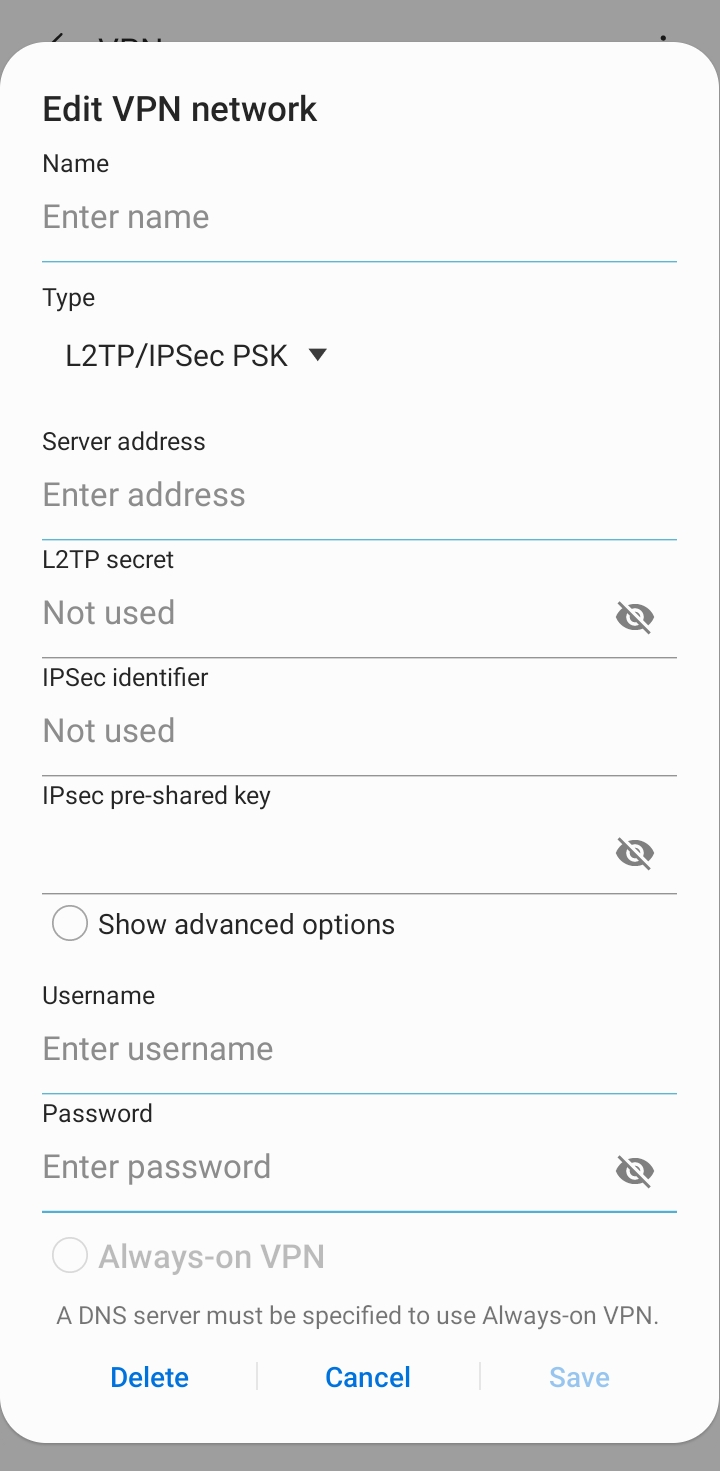
Insert the following:
- Insert Name: PPTP.
- Type: Select PPTP from the drop-down menu.
- Insert desired server address in Gateway (Here we have used usca.pointtoserver.com)
- Uncheck L2TP encryption (MPPE).
- Enter your PureVPN credentials. Here is a link you can follow to find 👉 find your VPN credentials.
- Tap on Save.
- Tap L2TP to connect then Tap Connect.
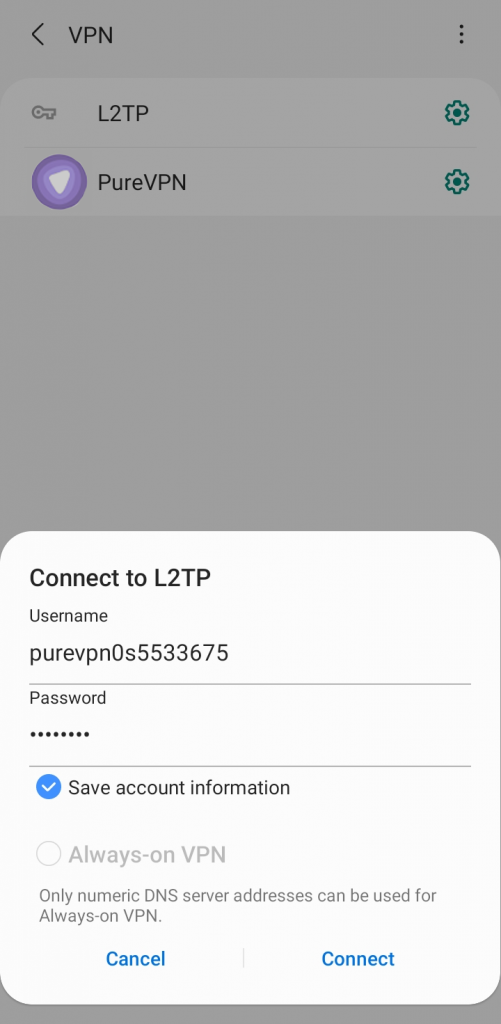
- You are now Connected.